Built For Hands-On Training

See every trainee’s screen. Coach exactly when it matters.

Train Lens gives trainers one live view of every trainee screen, plus private coaching and help requests. All in the browser.

✓
No trainee download
✓
Private 1:1 support
✓
Remote, hybrid, or onsite
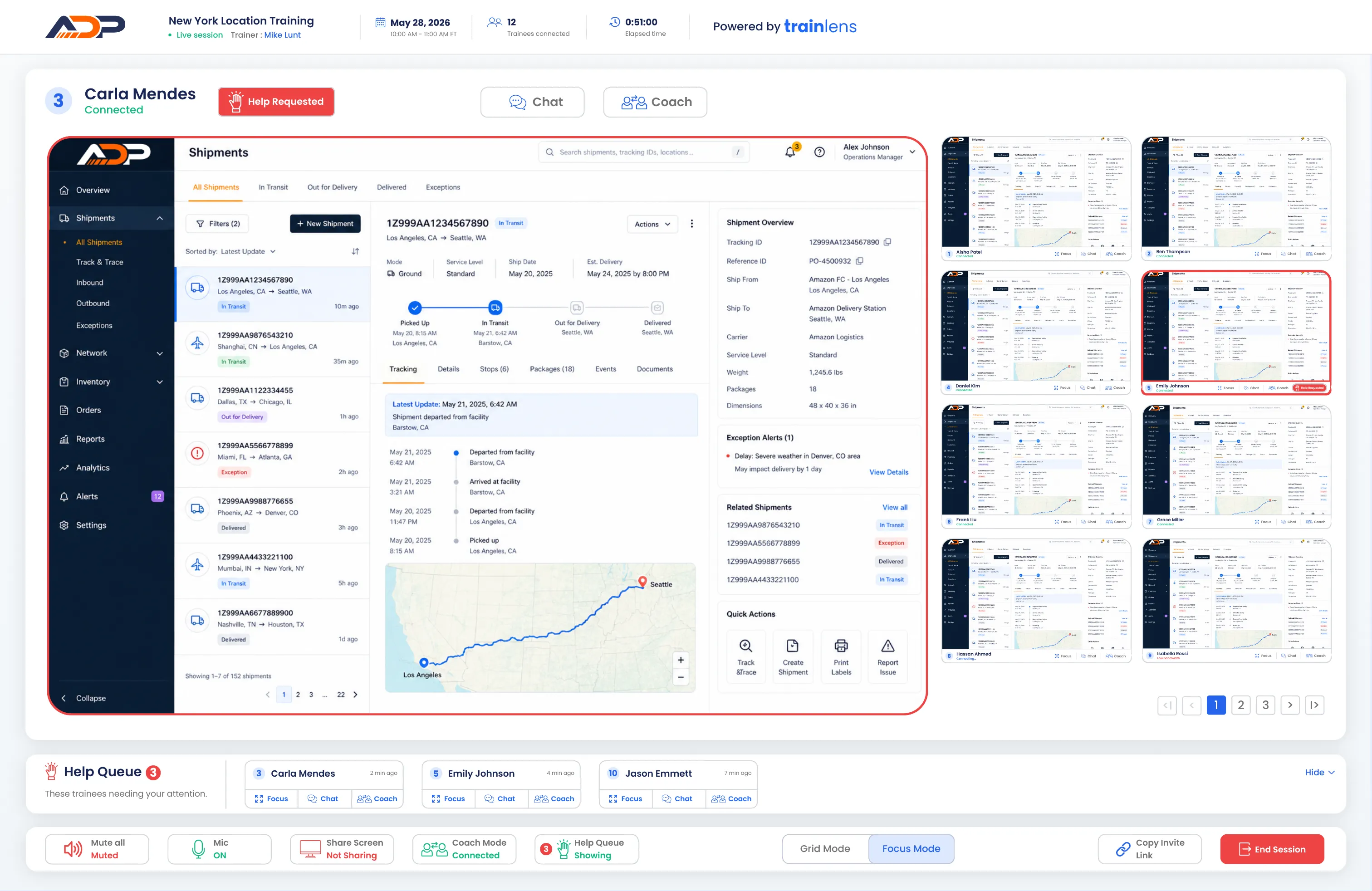
Train Lens focus mode showing one trainee screen and the cohort alongside it
!
Help requested
Carla needs your attention
✓
12 screens live
One view. No guesswork.
The Visibility Gap

Silence doesn’t mean understanding.

In hands-on training, a trainer can present perfectly and still miss the person who took a wrong turn three steps ago.

Train Lens replaces check-ins and guesswork with a live, respectful view of real progress, so support arrives while it can still make a difference.

Spot
confusion before it compounds
Support
one person without stopping everyone
Verify
readiness before the session ends
Your live training command center

From twelve separate screens to one clear picture.

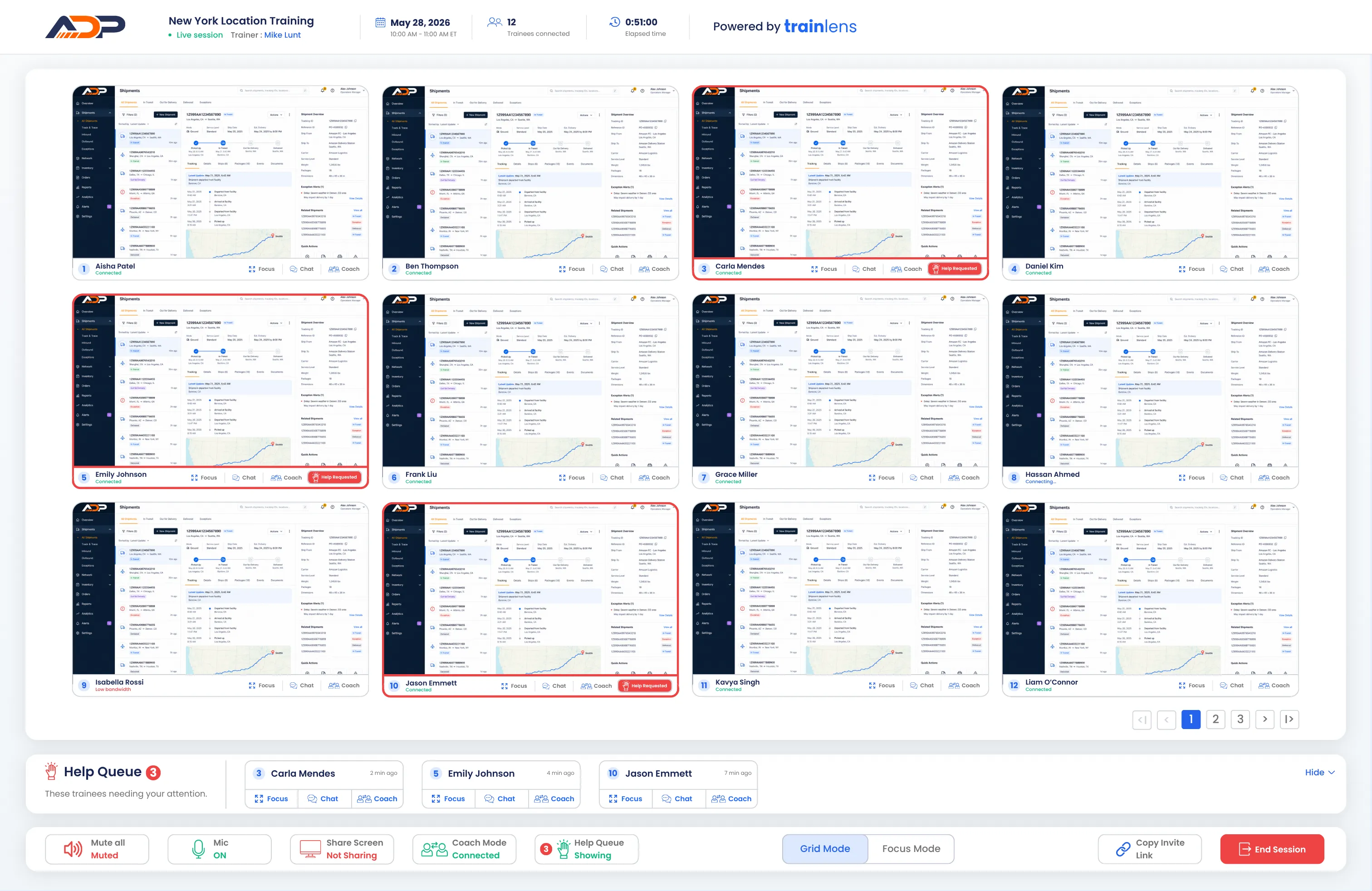
Scan the room in grid mode. Focus when someone needs help. Move between the two without losing sight of the group.

Interactive Preview: Select Grid Mode or Focus Mode to explore each trainer view.
01

Grid mode

See the entire cohort at once, with names, connection states, help indicators, and coaching actions attached to each trainee.

02

Focus mode

Bring one trainee into focus while keeping the rest of the group visible, so individual attention never becomes tunnel vision.

03

Private coaching

Open a private 1:1 coaching conversation with one trainee while the rest of the cohort keeps working.

Before the session

Build the session. Share one link.

Prepare the session once, then move into live training without trainee downloads, separate installations, or complicated setup.


1
Create in a few steps
Add the session details and create the joining link.
2
Invite your way
Copy the link and add it to a calendar invite, or send in an email.
3
Open when you’re ready
Manage upcoming, active, draft, and completed sessions from one dashboard.
Trainer preparing a browser-based Train Lens session on a laptop.
✓
Session draft saved
Trainer using Train Lens to respond to a trainee during a live training session.
!
Help requested
During the session

Give help privately. Keep the group moving.

A trainee can request help without speaking over the session. You see the request immediately and choose the right level of support.

Focus
Inspect the trainee’s screen more closely.
Present
Share your screen with the group when a wider explanation would help.
Coach
Start focused 1:1 support without interrupting the class.
Across every session
✧
Future Release

Resources and reporting will keep training connected.

Planned tools will keep materials beside the live experience and give trainers useful context after each session.
✓
Share files, links, and supporting materials
✓
Make resources available during training
✓
Review attendance and session activity
✓
Carry useful context into future sessions
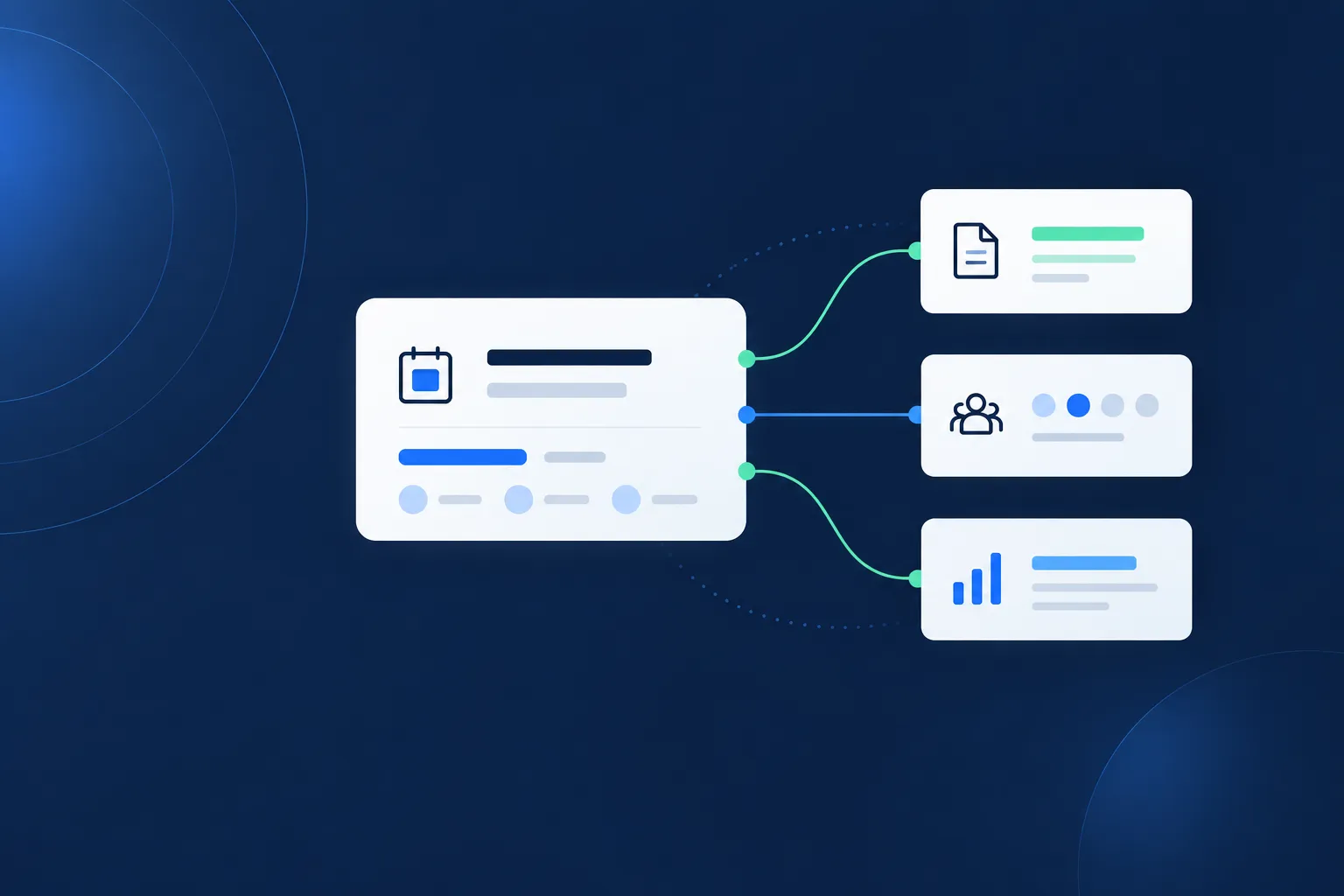
Illustration of planned Train Lens resources, attendance, and session insights.
✓
Planned session summary
Attendance · Help activity · Follow-up context
Designed for both sides of the session

Powerful for trainers. Simple for trainees.

Trainees get a calm, focused workspace with clear screen-sharing controls and a simple way to ask for help.
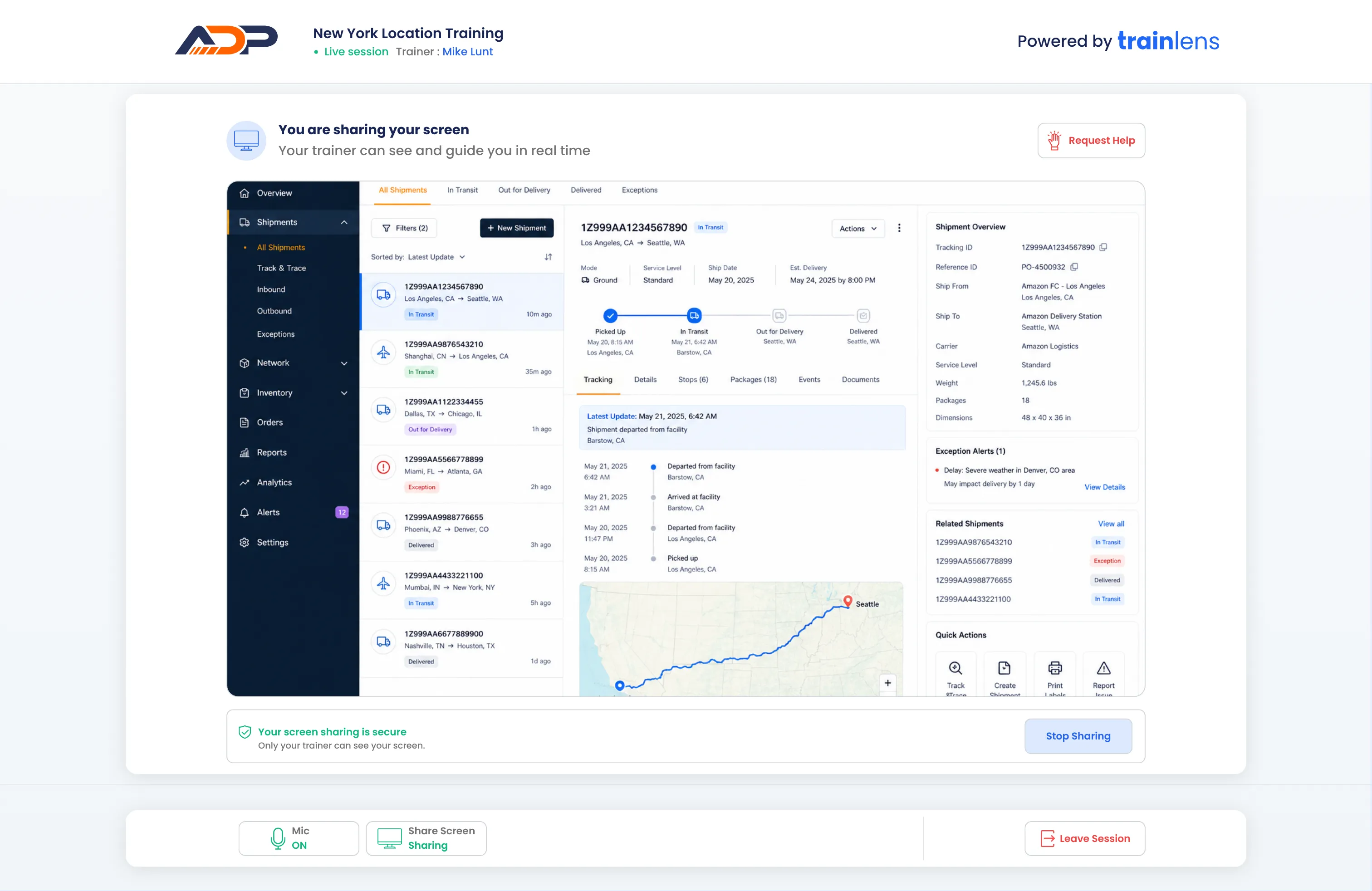
Train Lens trainee workspace showing screen-sharing controls and a request help button.
Browser-based
Join from a modern browser with no trainee download.
Privacy made clear
Screen-sharing status stays visible and understandable.
Help within reach
Request assistance without putting anyone on the spot.
Built for real work

For when trainees need to take part, not just watch.

Train Lens improves the quality of training especially when you rely on seeing people complete a process correctly.

02

Employee onboarding

Help new hires build confidence while keeping a cohort moving at a productive pace.

Explore onboarding →
03

Remote and hybrid cohorts

Bring the visibility of an in-person computer lab to trainees wherever they work.

Explore VILT →
04

Multi-location operations

Deliver a more consistent training experience across teams, sites, and time zones.

Explore multi-location training →
Privacy-minded by design

Visibility for the trainer. Clarity for the trainee.

Train Lens makes the screen-sharing relationship private. Trainees see what they are sharing, who can view their screen, and control when to stop.

✓
Your screen sharing is secure
Only your trainer can see your shared screen.
Sharing
Talk with us about security
Questions, Answered

Everything you need to know before your first session.

What does the trainer see during a live session?
+
Do trainees need to download any software?
+
Can other trainees see someone’s shared screen?
+
How does private coaching work?
+
How do trainees request help?
+
What resource and reporting features are planned?
+
See the whole room, even when it’s remote.

Train with certainty, not guesswork.

Book a personalized demo and see how Train Lens fits your training workflow.